
Wine Notes LITE1.3 - Get APK
You'll be able to download in few seconds.
Publisher Description
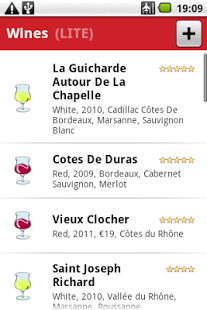
Take wine notes quickly and easily. What did a wine taste like? Why did you like it? What region was it from, and what year? This simple app makes it easy to describe wines without a lot of typing, time, and effort. Keep track of your wine cellar or shopping list with ease.
The app has a built-in database of wine-producing region names, grape names and wine descriptor terms for aroma and taste. It's enough to type common terms partially, the app autocompletes them from you using the database. The app learns new terms you enter, so you don't have to fully type them again.
You can rate wines by different criteria, such as aroma, taste, aftertaste, and overall. You can take pictures of wine bottles and attach them to the notes. You can export and import your database of wine notes as an sqlite3 database.
Feel free to tell me about problems and feature requests on GitHub: https://github.com/janosgyerik/wintenotes/issues
This app is still a work in progress, with many more features planned but not implemented yet. If a missing feature is important to you, feel free to drop me a line, and I'll try to make it happen.
Project homepage: https://github.com/janosgyerik/winenotes
Your privacy is extremely important: notice that the app doesn't require any permissions at all. NO internet, NO access to your contacts, NOTHING. As such, we have no way of tracking your habits, and we take pride in that.
About Wine Notes LITE
The company that develops Wine Notes LITE is Janos Gyerik. The latest version released by its developer is 1.3.
To install Wine Notes LITE on your Android device, just click the green Continue To App button above to start the installation process. The app is listed on our website since 2013-12-13 and was downloaded 0 times. We have already checked if the download link is safe, however for your own protection we recommend that you scan the downloaded app with your antivirus. Your antivirus may detect the Wine Notes LITE as malware as malware if the download link to com.winenotes.lite is broken.
How to install Wine Notes LITE on your Android device:
- Click on the Continue To App button on our website. This will redirect you to Google Play.
- Once the Wine Notes LITE is shown in the Google Play listing of your Android device, you can start its download and installation. Tap on the Install button located below the search bar and to the right of the app icon.
- A pop-up window with the permissions required by Wine Notes LITE will be shown. Click on Accept to continue the process.
- Wine Notes LITE will be downloaded onto your device, displaying a progress. Once the download completes, the installation will start and you'll get a notification after the installation is finished.
Program Details
System requirements
Download information
Pricing
Version History
version 1.3
posted on 2013-12-13
New in version 1.1:,* Fixed the broken EURO sign,* Now you can select the currency,* The last used currency becomes the default currency,* Wine names you enter are now automatically "title-ized",* Changed to a bright theme in most dialog screens,* Replaced the text buttons with image buttons in tag editor dialogs,* Removed the pointless Quit menu option,* Many minor usability and ergonomic improvements
version 1.0
posted on 2013-05-23
Several fixes and updates
Disclaimer
External Download
We do not host Wine Notes LITE on our servers. We did not scan it for viruses, adware, spyware or other type of malware. This app is hosted by Galad and passed their terms and conditions to be listed there. We recommend caution when installing it.
The APK Download link for Wine Notes LITE is provided to you by apps112.com without any warranties, representations or guarantees of any kind, so access it at your own risk.
If you have questions regarding this particular app contact the publisher directly. For questions about the functionalities of apps112.com contact us.
